🚀 BLIP
🚀 BLIP#
🚧🛠️ Under construction 🛠️🚧
To run blip you need to follow the next steps. Additionally you might find interesting to configure your own configuration file needed as input to run blip. You can find more information about it in the ConfigurationFiles section.
Activate the conda enviroment:
[LOCAL] conda activate blip
------------------------------------
[WILSON] cd Blip/scripts/
[WILSON] source wc_setup.sh
From the main
Blipfolder you need to run:
pip install .
cd ..
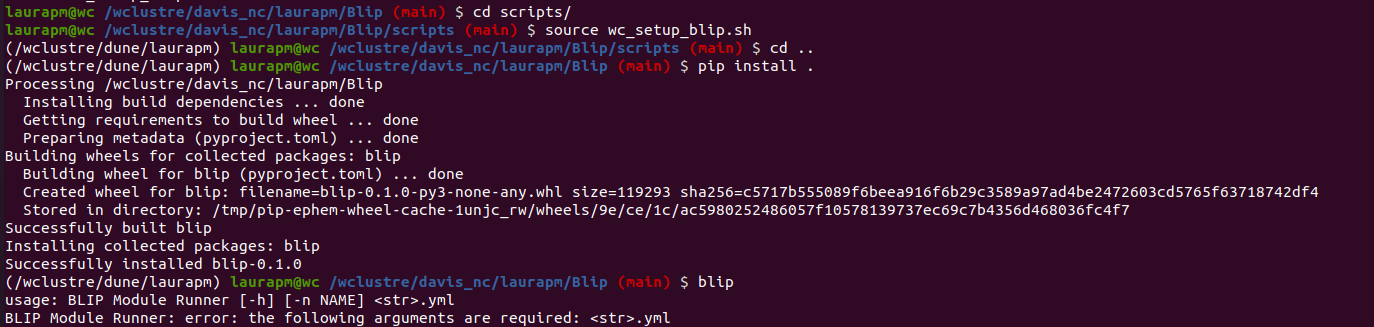
(I suggest to prepare a test dataset and config file to run the code on it and try the basis of the code.)
2.- Clone the BlipModels repository:
git clone https://github.com/Neutron-Calibration-in-DUNE/BlipModels.git
3.- Create a data folder 📂 where you need to allocate the *.root files you want to analyse. For the first tests you can use the test_data.root file from the path/
cd BlipModels/
mkdir data
cp path/test_data.root data/
4.- Run blip over your files:
blip config/config_test.yaml
You should have an output similar to:
[INFO] [config_parser]: setting up config file.
[INFO] [config_parser]: parsed 1 files with the heirarchy: ['config/<str>.yaml'].
[INFO] [blip]: configuring blip...
[INFO] [blip]: system_info - platform: Linux
[INFO] [blip]: system_info - platform-release: 5.15.0-87-generic